

Every tool is free. No sign-up needed to make, share or download.

Advertisements

Real Image Height Comparison

Compare heights using real photos: mark the head and feet, enter the height, and each photo stands to scale beside anyone.

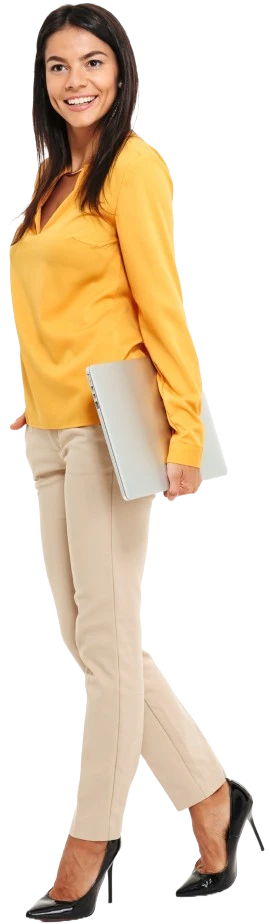
Man is 13 cm (5.1 in) taller than Woman · 7.6% taller

Click two to compare · drag to reorder · double-click a photo to rename it or re-mark the head and feet
Figures on the chart
NameSize
Man183 cm
Woman170 cm
Teen boy, 15161 cm
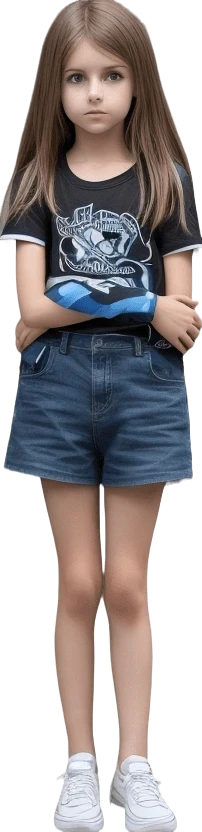
Girl, 10138 cm
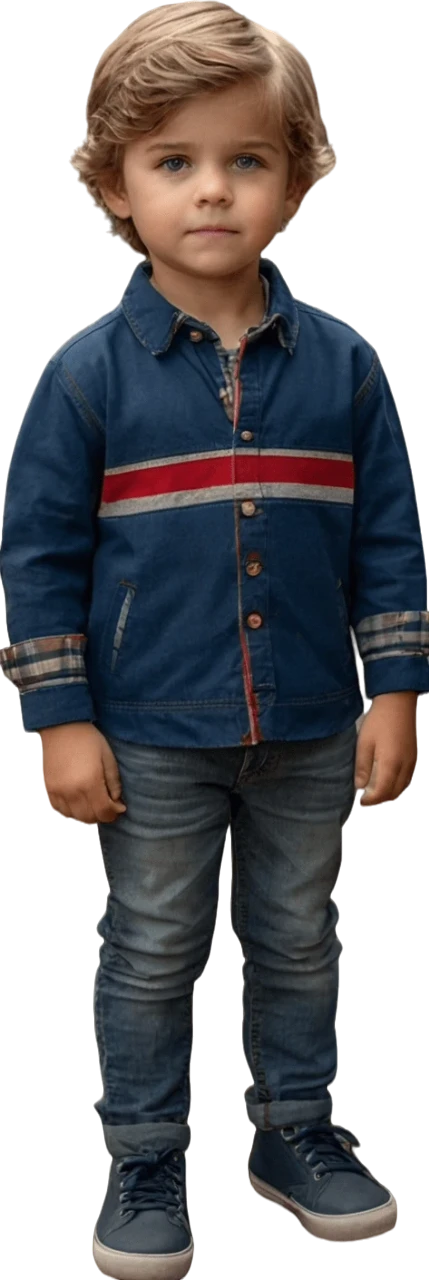
Boy, 5109 cm

Updated Heights last checked

Rate this tool

How well did it work for you?

Be one of the first to rate

Advertisements

Popular comparisons

Pick one to load it into the chart above.

See all

How to use the real-image height comparison

Four steps from a photo on your phone to a to-scale comparison you can share.

  1. 1

    Choose a photo

    A full-length photo of one person standing straight, facing the camera, works best. It stays on your device.

  2. 2

    Mark the top, bottom and sides

    Drag the lines to the top and the bottom, and to the sides if it is wide. That is all the calibration a photo needs.

  3. 3

    Enter the height

    Type their height in cm or feet and inches. The photo is scaled so the head-to-feet distance matches it exactly.

  4. 4

    Compare and share

    Add more photos, celebrities or the average man and woman. Then share a link or download it.

Controls at a glance

  • UnitsMetric or imperial for each ruler, or a fixed unit from nanometres to miles. Auto picks the best fit for each size. Show me
  • Zoom and fitZoom in on small figures, then Fit to see the whole chart again. On desktop. Show me
  • Customize chartBackground scene or colour, chart title, labels, rulers, order and spacing. Show me
  • Undo and redoStep back or forward through any change, including removing a figure. Show me
  • SaveKeep the chart in My charts. Without an account it is saved in this browser; a free account keeps it on all your devices. Show me
  • ShareA link anyone can view or edit, a private link, or one with a password. Also Pinterest. Show me
  • DownloadPNG, SVG or MP4 video, on your background or white. 4K and 8K PNGs come with a free account. Show me
  • Compare twoClick any two figures or their chips. The chart marks the difference and the line below says who is taller. Show me
  • ReorderDrag a figure left or right, or focus it and use the arrow keys. Show me
  • Edit a figureDouble-click a figure or use the pencil on its chip to change height, label, colour or build. Show me
  • Add yourselfEnter your height to stand next to anyone on the chart. Show me
  • Use a photoUpload a photo and set its height. The photo stays on your device. Show me

Where does my photo go? Nowhere. Photos are processed in your browser. If you share or save a chart, we ask first, and only the marked part, at chart size, goes with it.

About this real-image height comparison tool

Jushify scales your own photos to their real height, so two people photographed at different distances still stand side by side at true scale. Use it to compare yourself with a friend, see a couple together, or stand a family photo next to a celebrity silhouette.

Getting a good result

Use a photo taken straight on, from about waist height, with the whole body in view and shoes on or off for everyone. Leaning, sitting or a camera far above or below the person changes how tall they look.

How the scaling works

You mark the top of the head and the soles of the feet. Jushify scales the photo so that distance equals the height you enter, then stands it on the same baseline as everything else.

Soft edges and privacy

Each photo gets soft edges on your device, so the chart shows people more than rooms. Nothing is uploaded unless you share or save the chart, and then only the marked part.

FAQ

Frequently asked questions

Quick answers about photos, accuracy and privacy.

Still have a question?

Ask us, or tell us if a height looks wrong. We read every message.

7 questions

You add a photo, mark the top of the head and the soles of the feet, and enter the height. The photo is scaled so that distance matches the height, so every photo on the chart is to the same scale.

No. It is processed in your browser. If you share or save the chart, we ask first, and only the marked part, at chart size, is uploaded with it.

One person, standing straight, the whole body in view, taken straight on from about waist height. A wide-angle lens close up, or a camera high above, makes people look shorter or taller than they are.

Yes. Add the photo twice and mark a different person each time.

Only photos you have the right to use. For celebrities, search their name instead: the chart stands their sourced height as a silhouette, with no photo needed.

No. Charts, share links and downloads work without one. A link made without an account lasts up to 30 days. A free account keeps your charts in one list, and keeps your links for as long as you like.

Use Share for a link or Pinterest, and Download for a PNG (HD and 2K for everyone, 4K and 8K with a free account) or an SVG. There is no watermark over the chart.

More comparison tools

All tools

Compare real photos, to scale

Free, with no sign-up. Add photos, mark head and feet, and share the comparison as a link or an image.

Search Jushify